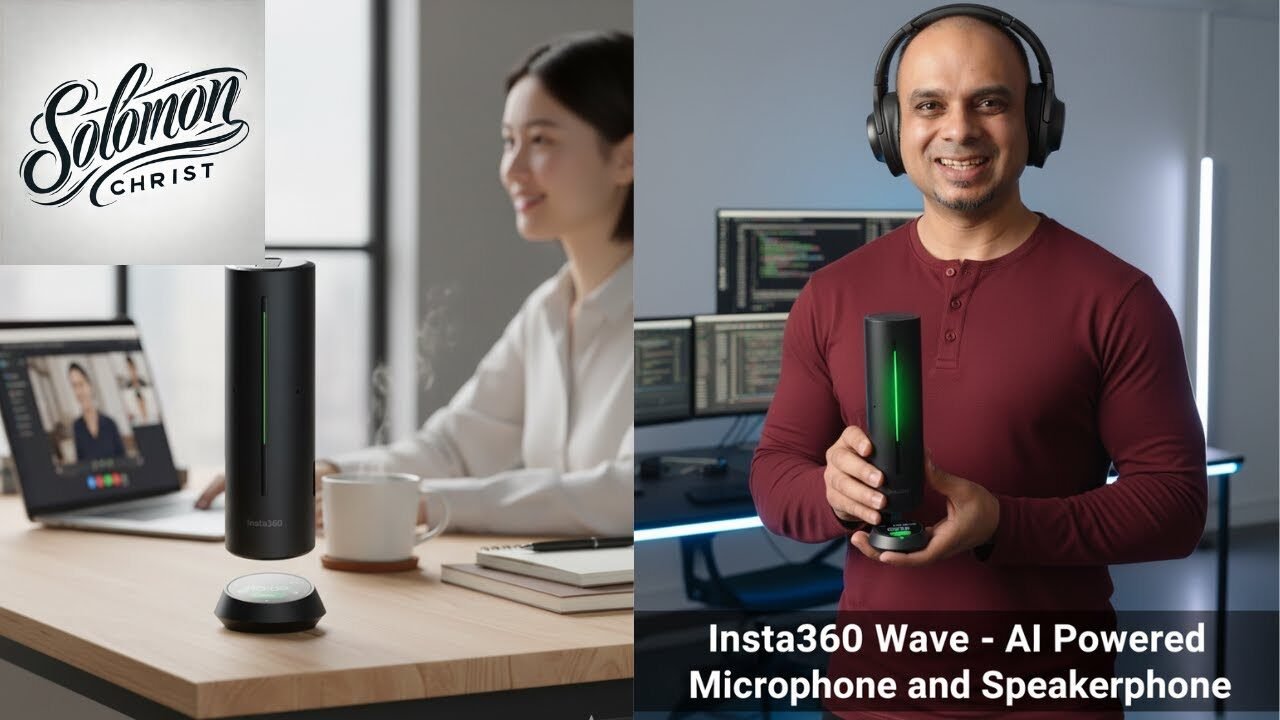
Insta360 Wave Review: AI Microphone That Changes Everything
In my latest video, I dive deep into the Insta360 Wave, an AI-powered microphone and speakerphone that’s revolutionizing how we capture audio in meetings and content creation. This comprehensive review covers everything from unboxing to real-world testing, showing you exactly how AI technology is transforming traditional audio gear into intelligent, adaptive tools.
I walk you through every feature, demonstrating the actual audio quality differences and AI capabilities that set this device apart from conventional microphones.
In my video, I provide hands-on demonstrations of the Insta360 Wave’s impressive capabilities.
Unboxing the Insta360 Wave: First Impressions Matter
I start my review with a detailed unboxing experience that immediately showcases Insta360’s attention to detail. The packaging is thoughtfully designed, containing the Wave speaker itself, a USB-C power cable, the Insta360 Wave USB dongle, and a convenient carrying pouch. What struck me most was the speaker’s unique design element at the bottom—a powerful suction cup that allows it to attach securely to surfaces.
When I first powered on the device by pressing and holding the button on the back, I was genuinely impressed by the floating display effect. This first-time user experience demonstrates how Insta360 blends technology with aesthetics, breaking away from the traditional cold, black disc design of conventional office gear. The full-screen interface built into the device provides easy access to all its features and settings.
Design and Technical Specifications
The Insta360 Wave features a sophisticated 3D 8-microphone array that captures voices clearly up to 16 feet away. In my testing, I explain how the device offers five different precision-engineered pickup patterns: omni, cardioid, supercardioid, figure-8, and stereo. This flexibility allows users to adapt the microphone’s behavior to different recording scenarios and room configurations.
What makes this device truly special is its AI-powered algorithm that eliminates up to 300 different types of environmental sounds. The Wave incorporates AI AEC (Acoustic Echo Cancellation) and AGC (Automatic Gain Control) for balanced, echo-free voice levels, plus an AI dereverb feature that delivers natural, crystal-clear sound. The 48 kHz sampling rate ensures ProGrade audio quality that preserves every detail.
One feature I find particularly valuable is the 32 GB of built-in storage that can hold up to 1,000 hours of MP3 audio. This means you can record offline without worrying about connectivity issues or running out of space during important meetings.
Real-World Audio Testing: The Results Speak for Themselves
In my video, I conduct extensive side-by-side comparisons to demonstrate the Wave’s superior audio capabilities. I switch between my regular desktop microphone and the Insta360 Wave to show the dramatic difference in audio quality. When I speak at a normal volume from various distances, the Wave consistently captures clear audio even when I move to the far end of the room.
I demonstrate how the Wave picks up my voice clearly even when I’m sitting far away in another chair, well beyond the typical range of standard microphones. The volume levels remain consistent, and the AI-powered beam forming technology ensures that my voice stays crisp and intelligible regardless of my position in the room.
The AI noise reduction capabilities are equally impressive. In my testing, I intentionally introduce background noise—a running fan, outdoor sounds, planes passing overhead, and keyboard typing. When I compare the audio captured by a standard microphone versus the Insta360 Wave, the difference is remarkable. The Wave successfully filters out these distracting sounds while maintaining natural voice quality.
AI Transcription and Meeting Assistant Features
One of the most powerful features I demonstrate is the Wave’s integration with Insta360 Insight, the companion web platform. After creating an account and selecting your location and language preferences, you gain access to a portal where all your recordings and transcriptions are stored. The system ensures over 95% transcription accuracy, which is crucial for professional meetings.
I show how to enable the AI features by navigating through the Wave’s interface: pressing the down arrow, selecting settings, then AI features, and toggling the auto summary function on. Once activated, every recording you make is automatically transcribed and summarized. In my test recording where I read product specifications, the system generated accurate meeting notes within seconds.
What I find particularly innovative is the QR code feature. After a meeting, the Wave displays a QR code on its screen that anyone can scan with their phone to instantly access the full transcription. This eliminates the need to manually share notes or wait for email attachments—participants simply scan and have immediate access to everything discussed.
AI Assistant: Your Meeting Intelligence Tool
The AI assistant feature takes meeting productivity to another level. I demonstrate how you can ask questions about your recorded content using natural language. When I type “how far can the mic reach?” the AI assistant immediately responds with accurate information extracted from the transcription: the microphone has a 16-foot range.
This feature becomes invaluable for lengthy meetings where you might have pages of notes. Instead of manually searching through transcripts, you can simply ask the AI assistant specific questions and get instant answers. You can even switch between different LLM (Large Language Model) options to interact with your meeting notes in different ways.
Integration with Insta360 Link 2 Camera
In my video, I show how the Wave seamlessly integrates with the Insta360 Link 2 camera. The setup process is straightforward: power down the Wave, remove the USB dongle from the top, and attach the Link 2 camera by aligning it with the connection pins. Once powered back on, the two devices work together as a unified system.
I demonstrate this integration during a live Zoom call. The Link 2 camera automatically tracks my movement as I speak, while the Wave captures my audio with exceptional clarity. This combination creates a professional video conferencing experience where the camera intelligently follows the active speaker. When multiple people are present, the system can automatically shift focus to whoever is speaking, making it ideal for collaborative meeting environments.
Multiple Pickup Patterns for Different Scenarios
The five different pickup patterns I mention each serve specific use cases. The omni pattern captures sound from all directions, perfect for roundtable discussions. Cardioid mode focuses on sound from the front, ideal for solo presentations. Supercardioid offers even more focused front-facing pickup with narrower side rejection. Figure-8 captures sound from front and back while rejecting sides, useful for two-person interviews. Stereo mode provides spatial audio capture for immersive recordings.
This flexibility means the Wave adapts to your specific recording situation rather than forcing you to adapt to the microphone’s limitations. Whether you’re recording a podcast, conducting a business meeting, creating YouTube content, or hosting a webinar, there’s a pickup pattern optimized for your needs.
Professional Applications and Use Cases
Throughout my review, I emphasize how the Insta360 Wave serves multiple professional purposes. For business professionals, it eliminates the common frustrations of video conferencing: voices getting lost in the mix, excessive background noise, and sound quality degrading when participants sit farther from the microphone. The Wave’s 16-foot pickup range ensures everyone in a conference room is heard clearly.
For content creators and YouTubers, the Wave offers broadcast-quality audio without the complexity of traditional audio setups. The built-in recording capability means you can capture content independently of your computer, while the AI transcription provides immediate written records of your recordings. This is particularly valuable for creating show notes, blog posts, or social media content from video recordings.
The device also excels in hybrid work environments where some participants are remote and others are in-person. The adaptive beam forming ensures that both groups experience consistent audio quality, while the AI noise reduction prevents office sounds from disrupting the remote participants’ experience.
Storage and Connectivity Options
I explain how the Wave’s 32 GB internal storage provides tremendous flexibility. You can record meetings even without an internet connection or computer, making it perfect for field work or situations where connectivity is unreliable. The device stores audio in MP3 format at 48 kHz, balancing file size with professional audio quality.
The Wave integrates with multiple conferencing platforms including Zoom, Microsoft Teams, and Google Meet. This universal compatibility means you don’t need to change your existing workflow—the Wave simply enhances whatever platform you’re already using. You can upload recordings to the cloud or save them locally, giving you complete control over your data.
Voice Print Recognition for Multi-Speaker Scenarios
One advanced feature I highlight is the voice print recognition capability. The system can automatically detect different speakers and even remembers their names for future meetings. This means your transcriptions aren’t just walls of text—they’re properly attributed to specific speakers, making it easy to follow who said what during discussions. This speaker identification feature becomes increasingly valuable over time as the system learns to recognize your frequent collaborators.
Why AI Makes the Difference
Throughout my demonstration, I emphasize how AI transforms the Insta360 Wave from a simple microphone into an intelligent audio system. Traditional microphones passively capture whatever sounds reach them, requiring careful positioning and environment control. The Wave actively analyzes the audio environment, identifies voices versus noise, adjusts gain levels automatically, removes echoes, and optimizes pickup patterns in real-time.
This is what I mean when I say in my video that AI is the future. We’re seeing artificial intelligence move beyond software applications into physical products that fundamentally improve how we work. The Insta360 Wave represents this convergence of hardware and AI in a practical, accessible form.
Getting Started with the Insta360 Wave
For those interested in adding the Wave to their toolkit, I mention that purchase links are available in my video description, including options through both Amazon and Insta360 directly. These are affiliate links that support my channel while providing you with this innovative technology. Whether you’re working in an office, conducting remote meetings, or creating content, the Wave offers professional-grade audio capabilities with AI-enhanced intelligence.
I also invite viewers to join my Skool community where we discuss the latest AI tools, automation workflows, and technology reviews. For product review inquiries, you can reach me at solomon@solomonchrist.com.
The Insta360 Wave represents a significant leap forward in audio technology, combining excellent hardware design with sophisticated AI algorithms to deliver an experience that traditional microphones simply cannot match. Whether you’re a business professional looking to improve meeting quality or a content creator seeking broadcast-quality audio without complex setups, the Wave deserves serious consideration as an essential tool in your technology arsenal.